Networking
Networking Management module within the VMX platform. This section allows administrators to monitor real-time traffic, configure physical interfaces, and build complex virtual network architectures.
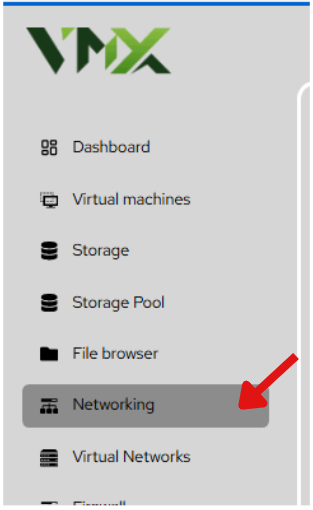
Steps To Follow:
- Click on Networking menu from the list. It will navigate you to the Networking page.
Add Bond
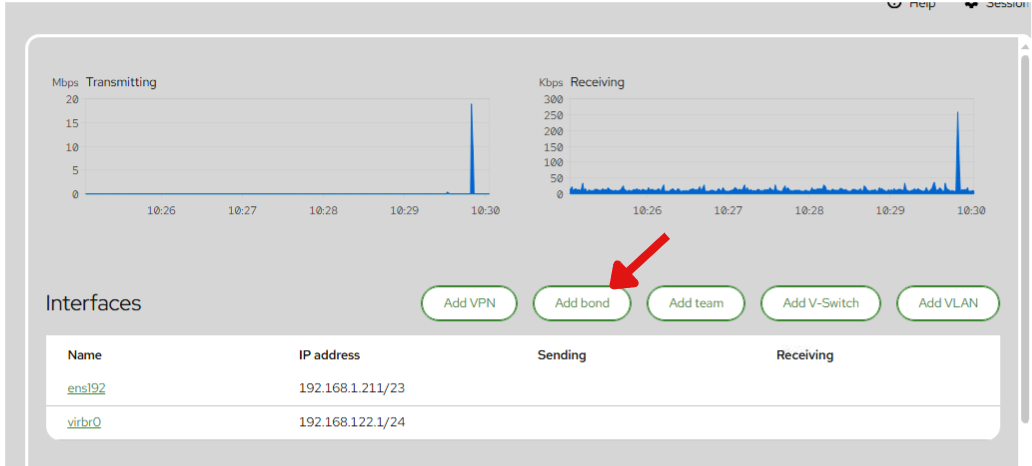
- Click on Add Bond button from the list.
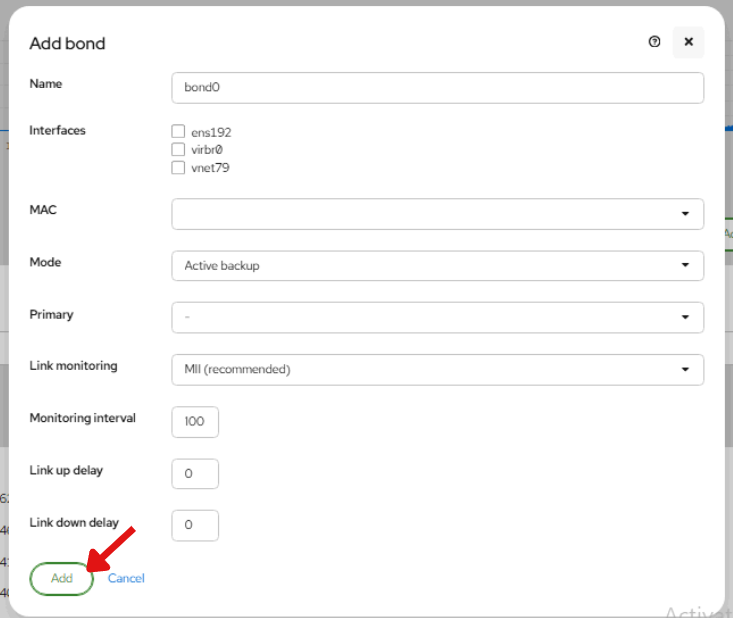
- enter the required details in the Add Bond form.
- Name: Enter a unique name for the bond, such as
bond0. - Interfaces: Select the network interfaces you want to include in the bond.
- MAC: Choose the MAC address configuration for the bond.
- Mode: Select the bonding mode, such as Active backup.
- Primary: Choose the primary interface if required.
- Link monitoring: Select the link monitoring method. MII is recommended.
- Monitoring interval: Enter the interval value for link monitoring. The default value is
100. - Link up delay: Enter the delay time before the link is considered up. The default value is
0. - Link down delay: Enter the delay time before the link is considered down. The default value is
0.
- Click Add to create the bond.
Add Virtual Switch
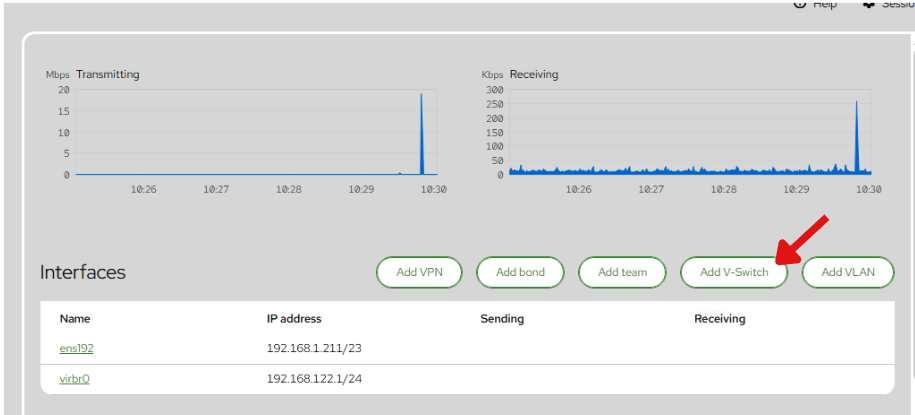
- Click on Add Virtual Switch button from the list. It will navigate you to the Add Virtual Switch page.
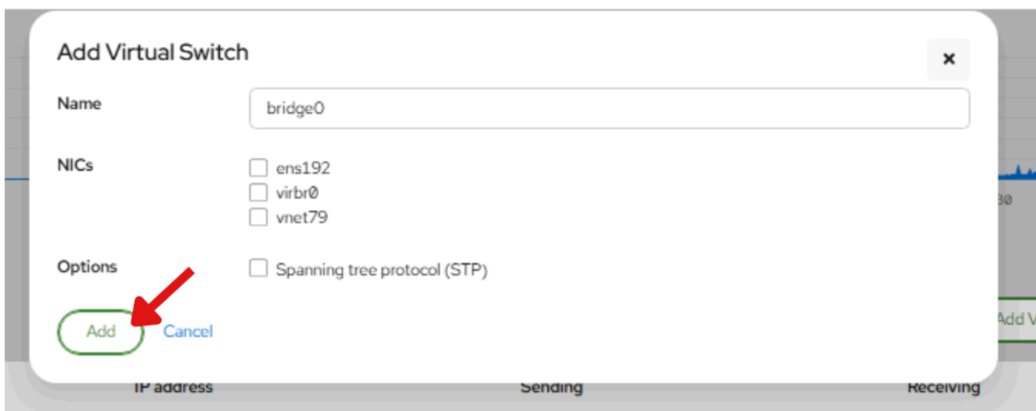
- enter the required details in the Add Virtual Switch form.
- Name: Enter a unique name for the virtual switch, for example
bridge0. - NICs: Select one or more physical network interfaces to attach to the virtual switch.
- Options: Enable Spanning tree protocol (STP) if needed for loop prevention in the network.
- Click Add to create the virtual switch.