Firewall
Firewall module within the VMX platform. This interface allows administrators to secure the host and virtual networks by controlling incoming traffic through a zone-based filtering system.
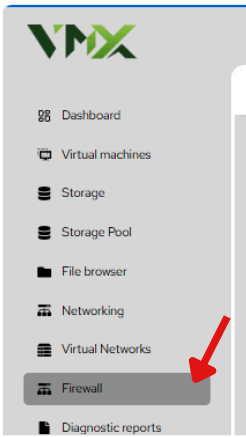
Steps To Follow:
- Click on Firewall menu from the list. It will navigate you to the Firewall page.
Add New Zone
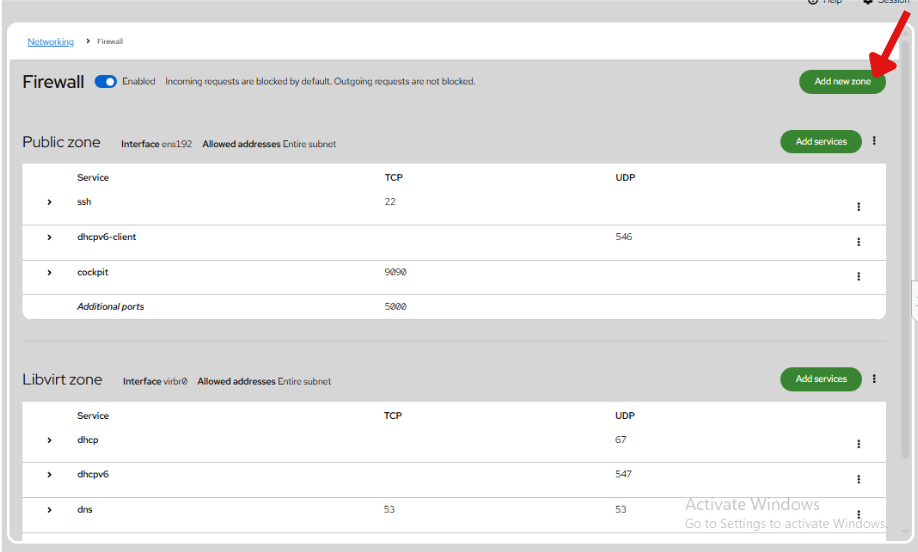
- Click on Add New Zone button from the list. It will navigate you to the Add New Zone page.
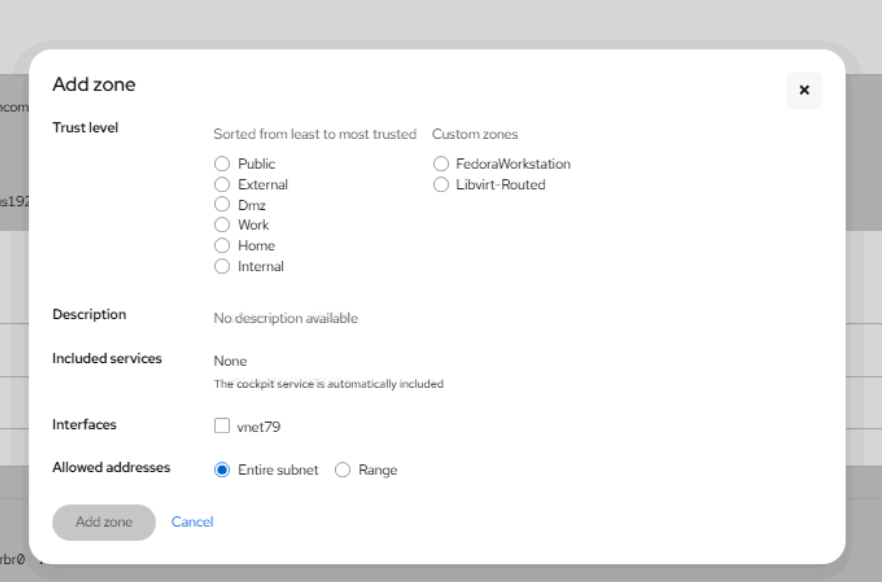
- Enter the required details in the Add New Zone form.
- Trust Level: Choose from predefined levels ranging from Public (least trusted) to Internal (most trusted).
- Interfaces: Bind the zone to a specific network card (e.g., ens192 or vnet79).
- Allowed Addresses: Decide if the rules apply to the Entire subnet or a specific Range of IP addresses.
- Click on Add Zone button from the list. It will create the virtual network.