Accounts
Accounts module within the VMX platform. This section allows administrators to manage local user access, security credentials, and authentication policies for the host system.
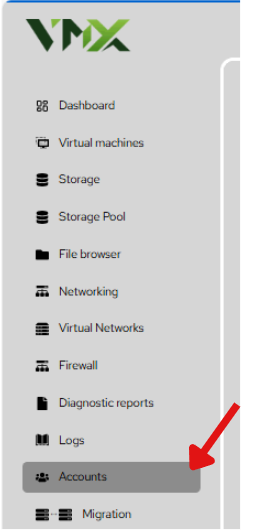
Steps To Follow:
- Click on Accounts menu from the list. It will navigate you to the Accounts page.
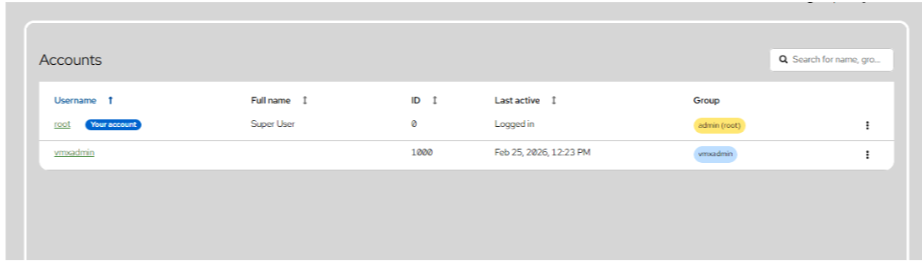
Accounts Dashboard The main landing page for user management provides an overview of all system identities.
- User List: Displays the Username, Full name, UID (ID), Last active status, and assigned Group.
- Root Account: Identified by ID 0, this is the Super User account with total system control.
- Search: Use the search bar at the top right to filter users by name or group.
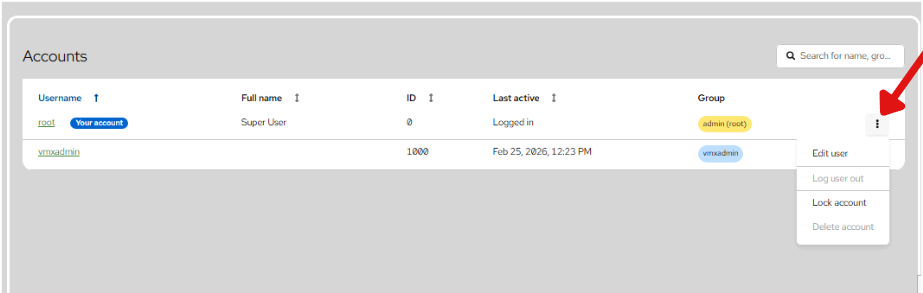
Actions Menu By clicking the vertical ellipsis (⋮) on a user row, you can perform immediate administrative tasks:
- Edit user: Opens the full user profile.
- Log user out: Terminates all active web and terminal sessions for that user.
- Lock account: Prevents the user from logging in without deleting their data.
- Delete account: Permanently removes the user and their home directory.