Migration
Migration module within the VMX platform. This tool allows for the seamless transition of virtual workloads from legacy platforms like Microsoft Hyper-V and VMware ESXi into the local KVM-based environment.
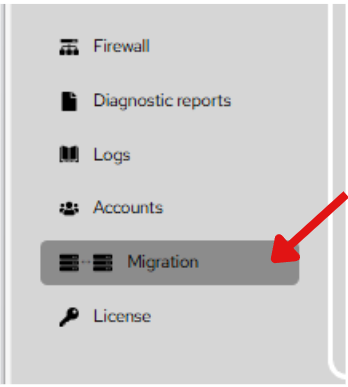
Steps To Follow:
- Click on Migration menu from the list. It will navigate you to the Migration page.
VMware ESXi Migration
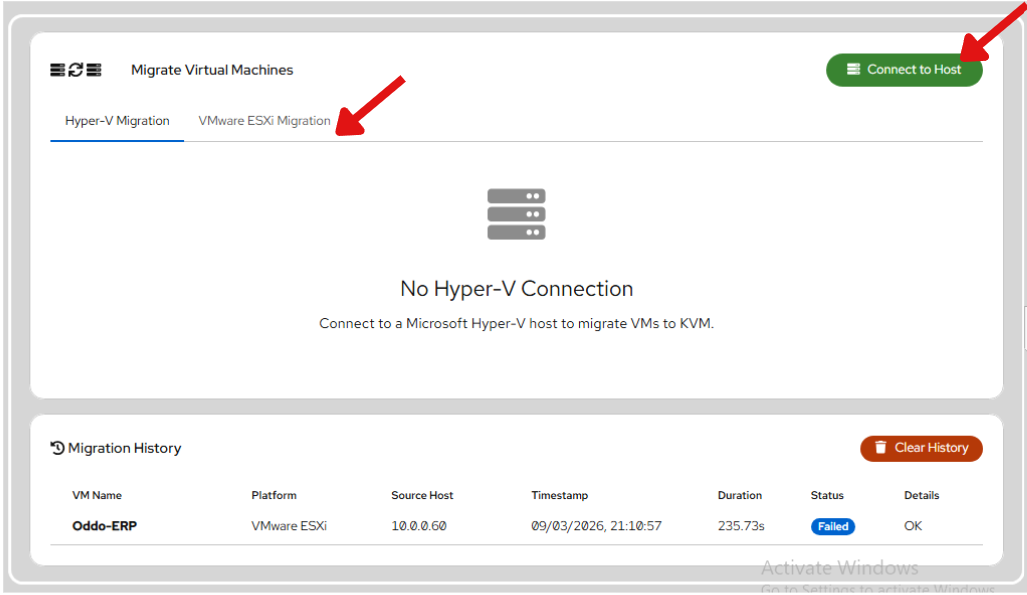
Steps To Follow:
1. Click on VMware ESXi Migration button from the list. It will navigate you to the VMware ESXi Migration page.
2. Click the Connect to Host button.
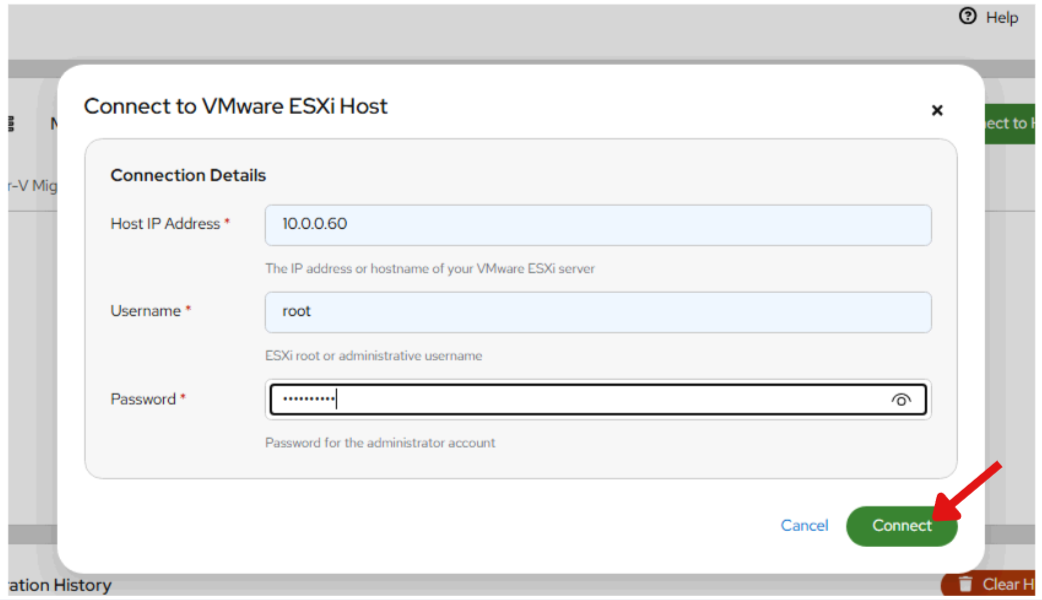
Steps To Follow:
3. Provide the following details:
Host IP Address: The network address of the source server (e.g., 10.0.0.60).
Username: An administrative account (e.g., root).
Password: The corresponding credential for the admin account.
4. Click Connect. A success banner will appear indicating how many Virtual Machines were discovered.
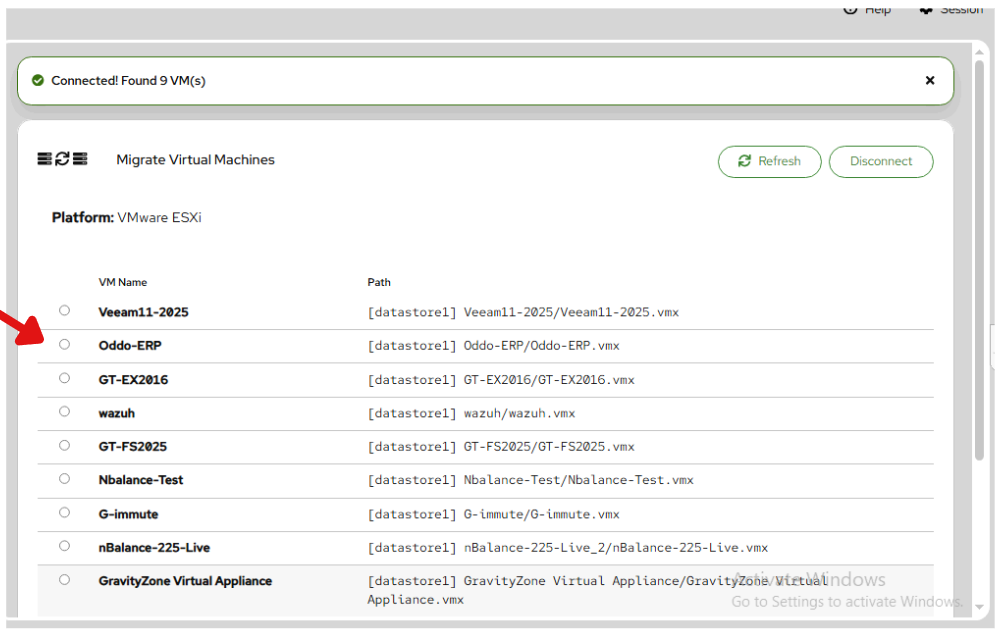
5. Click the Start Migration button.
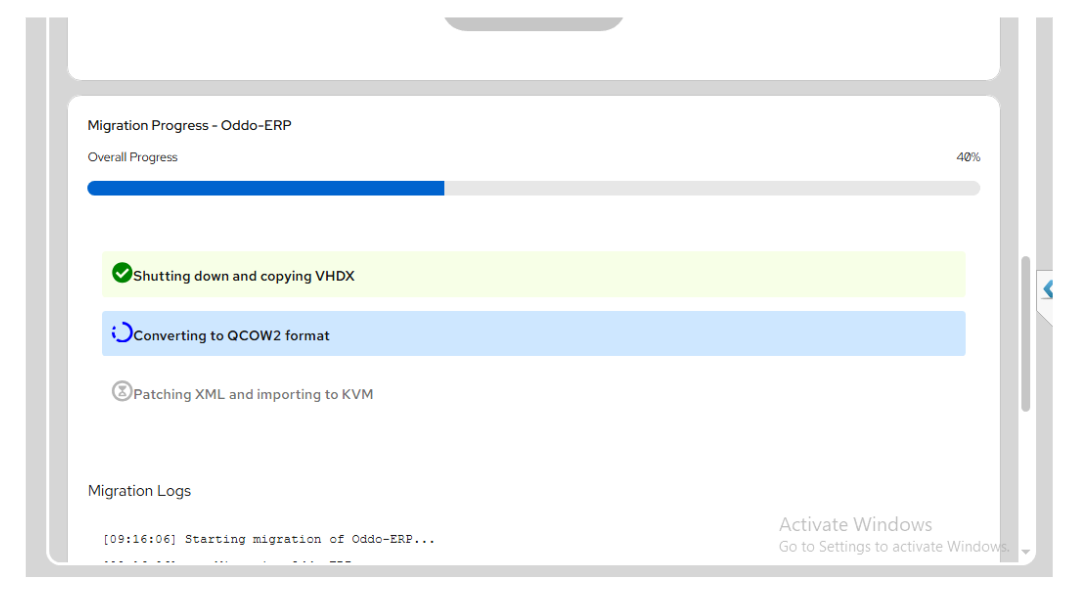
6. The platform provides a real-time status update as the VM is converted and imported.